
ClearData AI CRM
The AI-native CRM that listens, remembers, and follows up. Meetings become pipeline, research becomes leads — and every record lives in the same governed data lake as your agents.
A CRM should remember every promise your team makes — so your people can spend their time keeping them.
The CRM that fills itself in.
Recorded meetings, voice memos, and AI agent research become companies, contacts, deals, commitments, and tasks — all on one pipeline, all reviewed by a person before they count. On the desk, in the meeting room, or between calls.
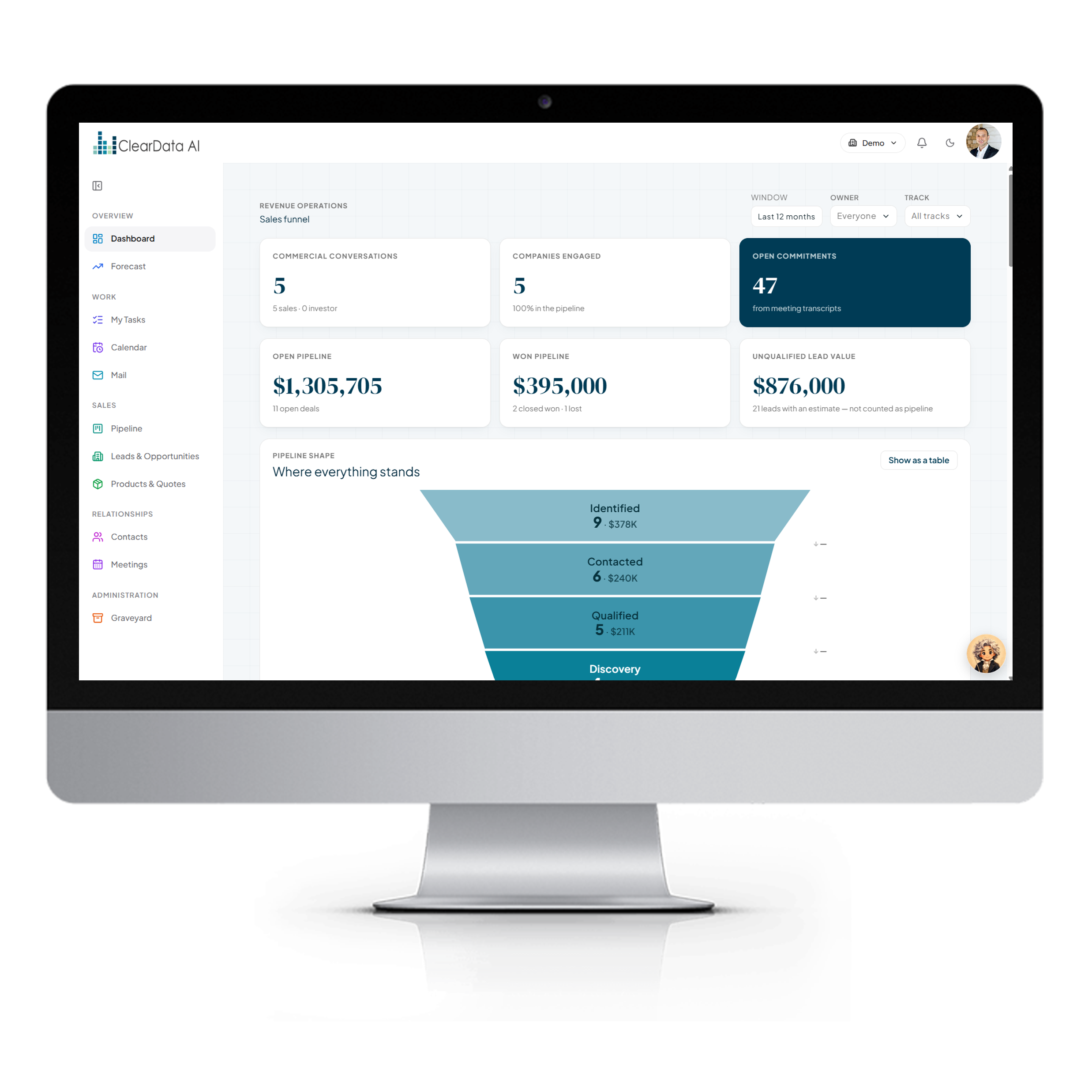
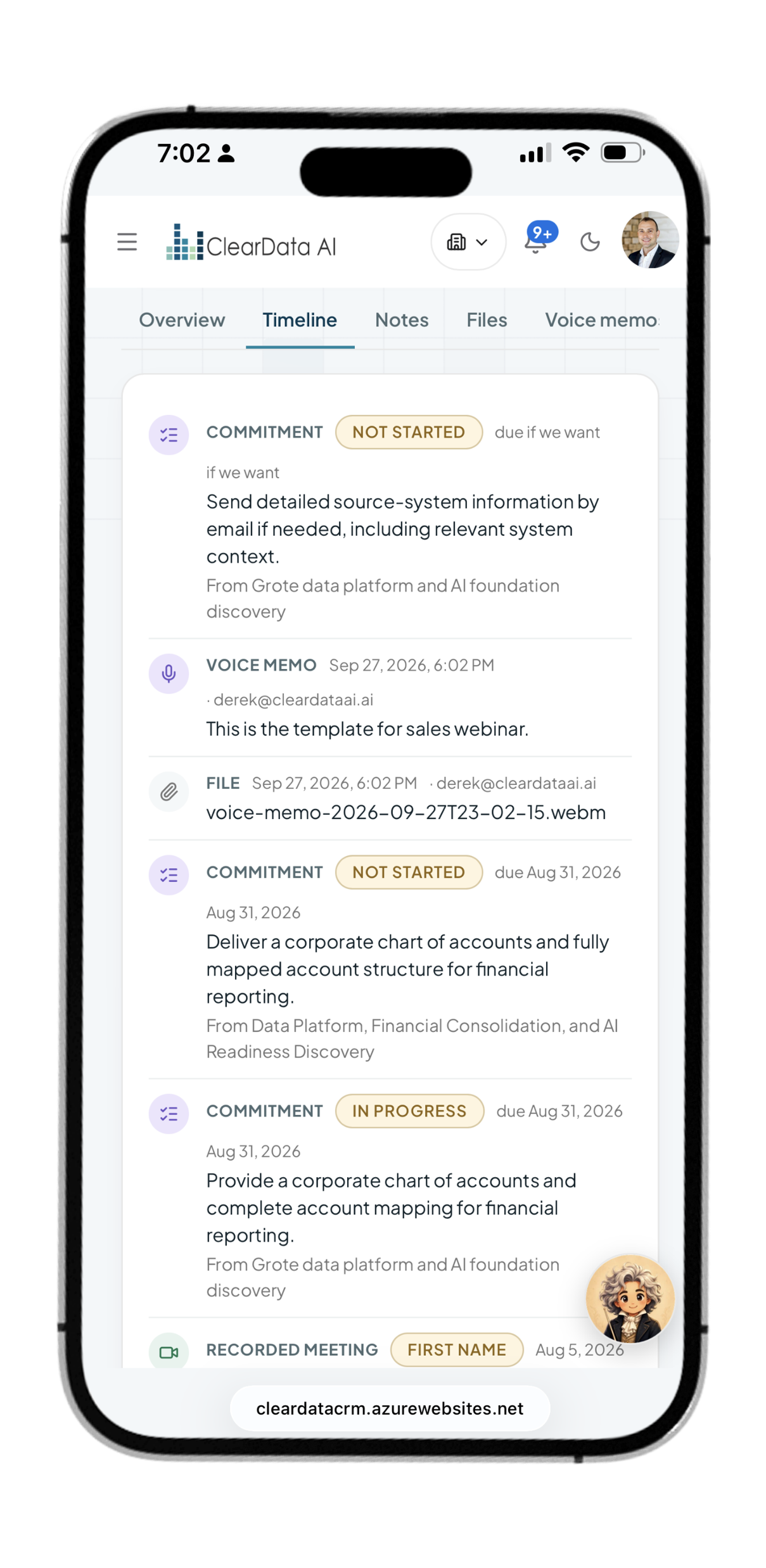
Every meeting becomes pipeline — once you say so.
Recorded Teams meetings are collected across your organization, transcribed, and turned into the records your team would otherwise type up by hand.
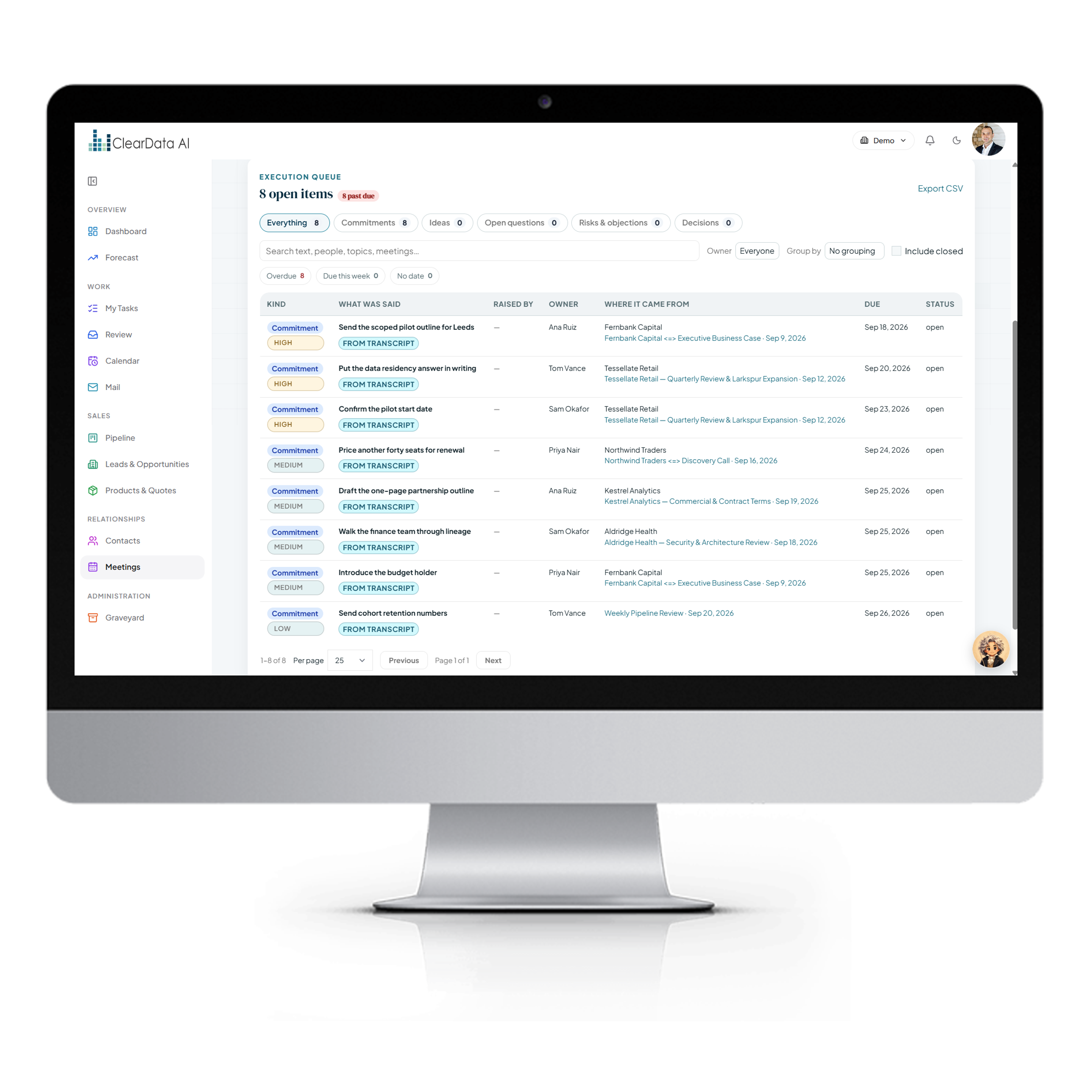
Commitments, opportunities, and follow-ups are extracted with the evidence attached, then wait in a review inbox grouped by meeting. A person accepts what's right; nothing else touches the pipeline. Every accepted record remembers exactly which conversation it came from.
- Automatic collection of recorded meetings across every mailbox
- Review inbox with the transcript evidence beside each suggestion
- Commitments tracked — who promised what, to whom, by when
- Provenance on every record, traceable to its source
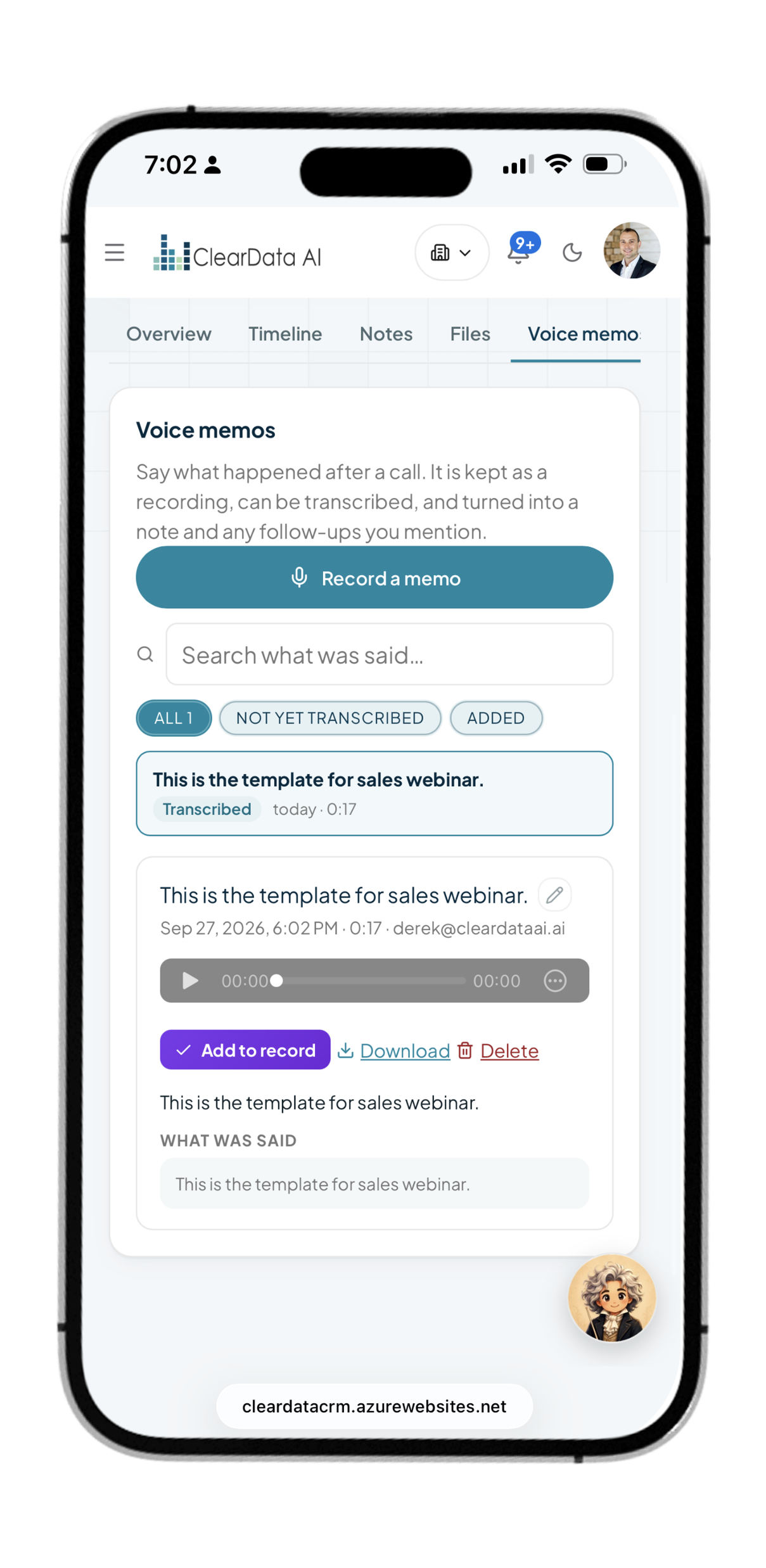
- Voice memos — record, transcribe, add: a note plus tasks for what you promised
- Sync links people to the meetings they attended, on your approval
Honest AI. The CRM never guesses a deal value or a stage. If it wasn't said, it isn't recorded.
A pipeline that tells you where to look.
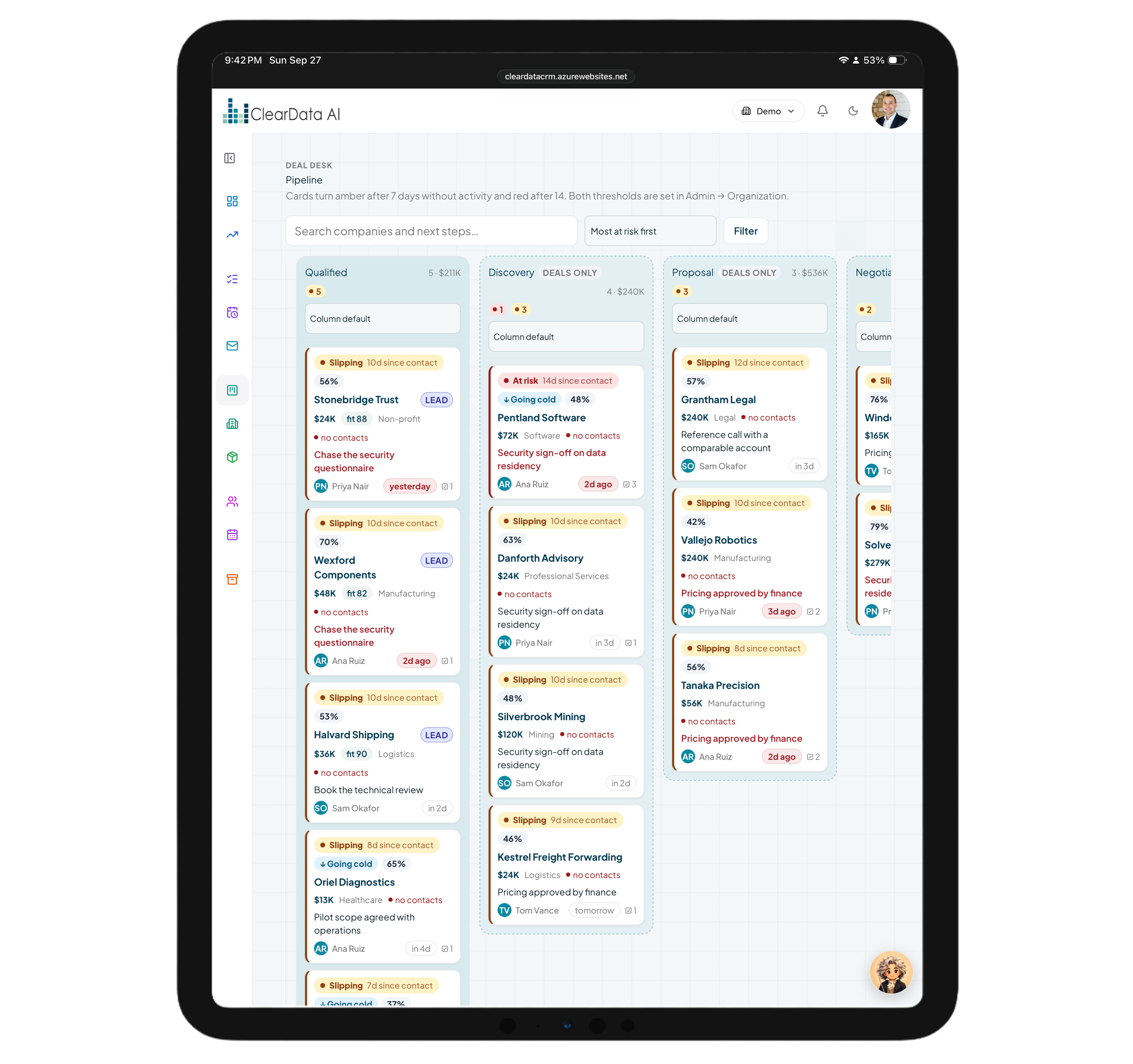
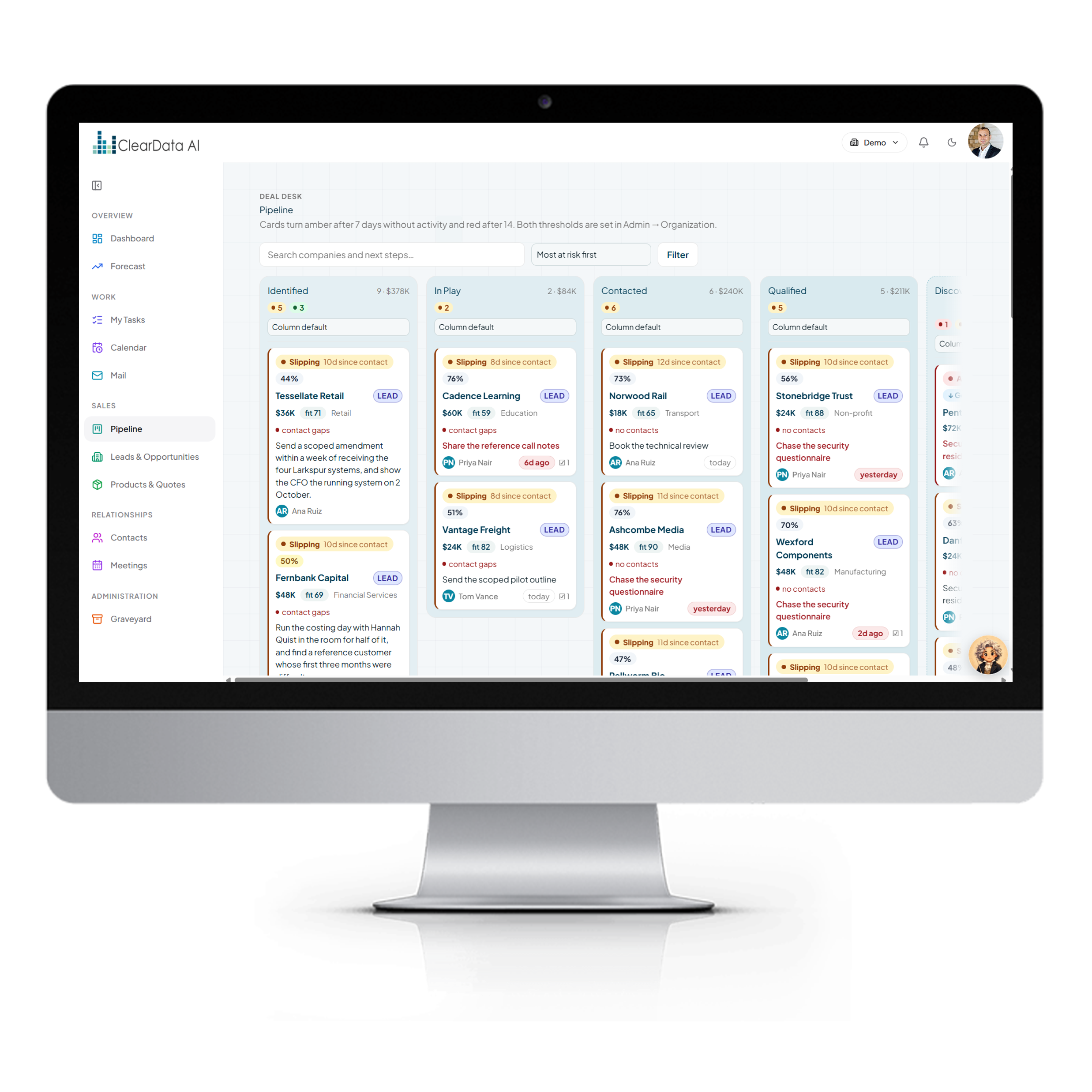
Every card carries three signals, and the urgent ones rise to the top.
Temperature shows days since the last real activity, an arrow shows which way it last moved, and a likelihood shows the chance of reaching the next stage. Drag deals between stages; stage rules make sure each one is genuinely ready.
- My Tasks — one queue for your to-dos, meeting action items, and nudges on leads gone quiet
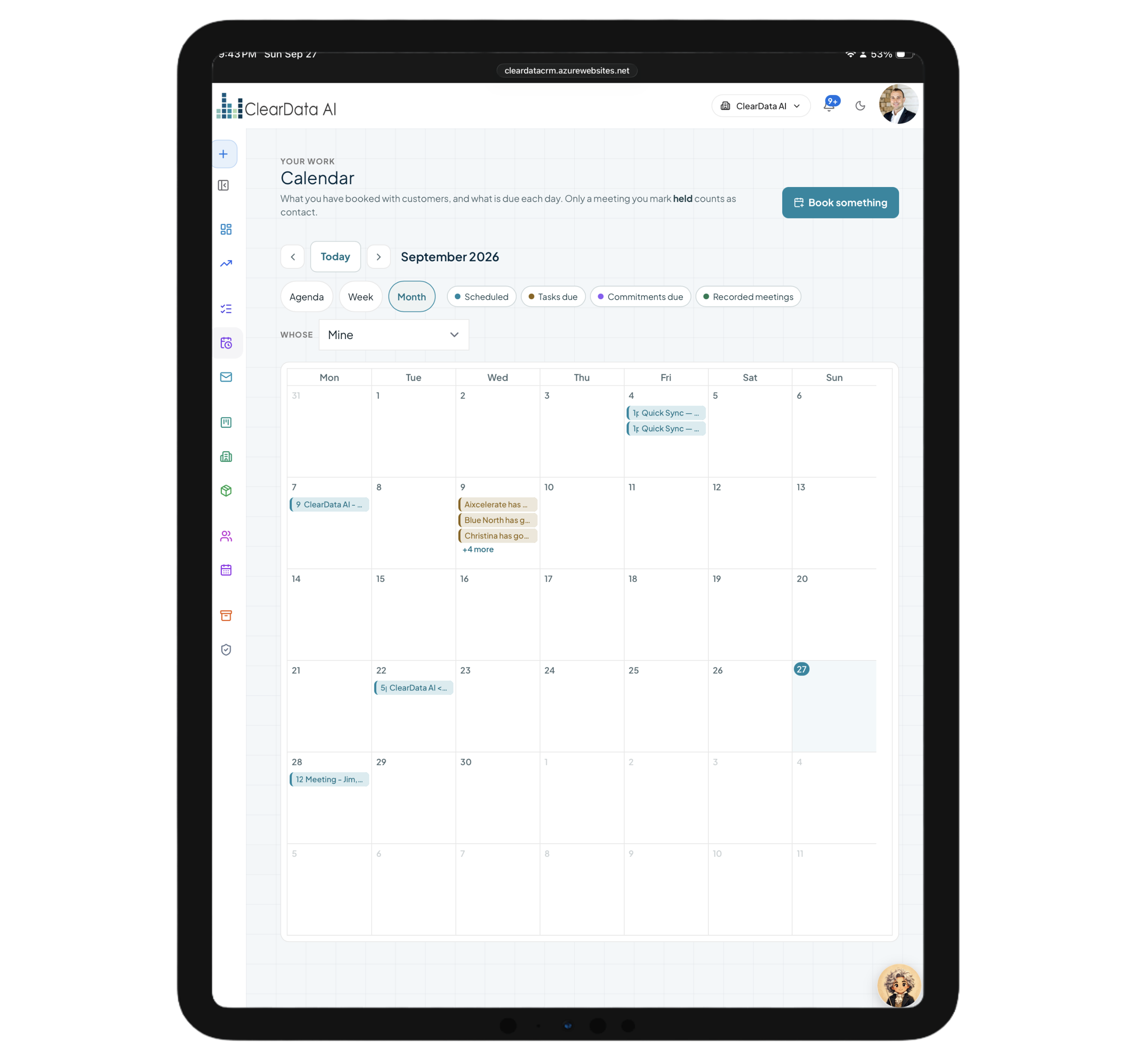
- Calendar with bookings, tasks, and a “did it happen?” follow-up
- Two-way Microsoft 365 sync, plus Google and Apple calendars and one-tick Teams links
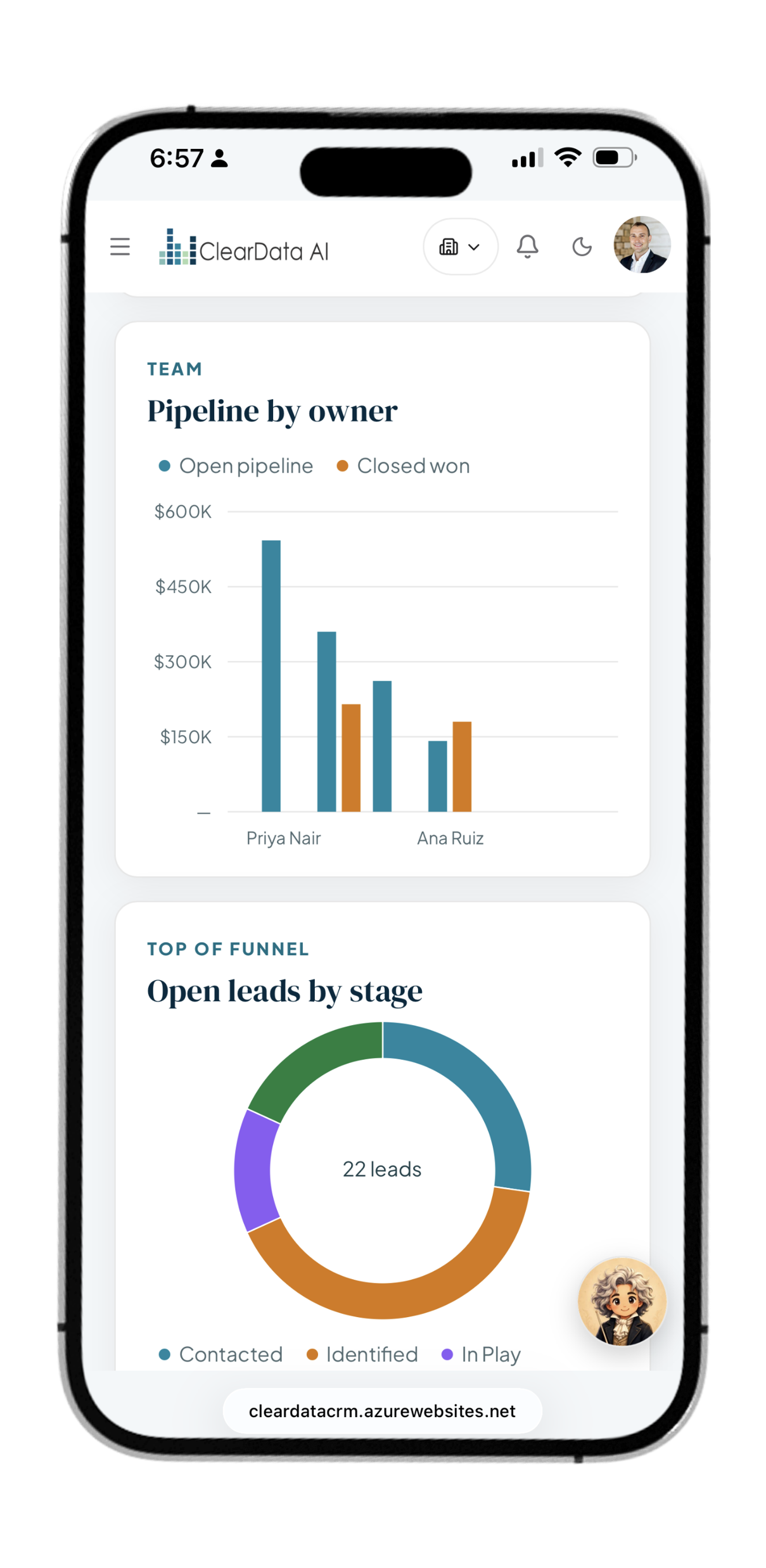
- Dashboard — weighted pipeline, won/lost, velocity, and leaderboard
- Leads — filter, bulk-assign, import from spreadsheets, and convert to deals
- Archive — a graveyard for lost deals, with one-click resurrect
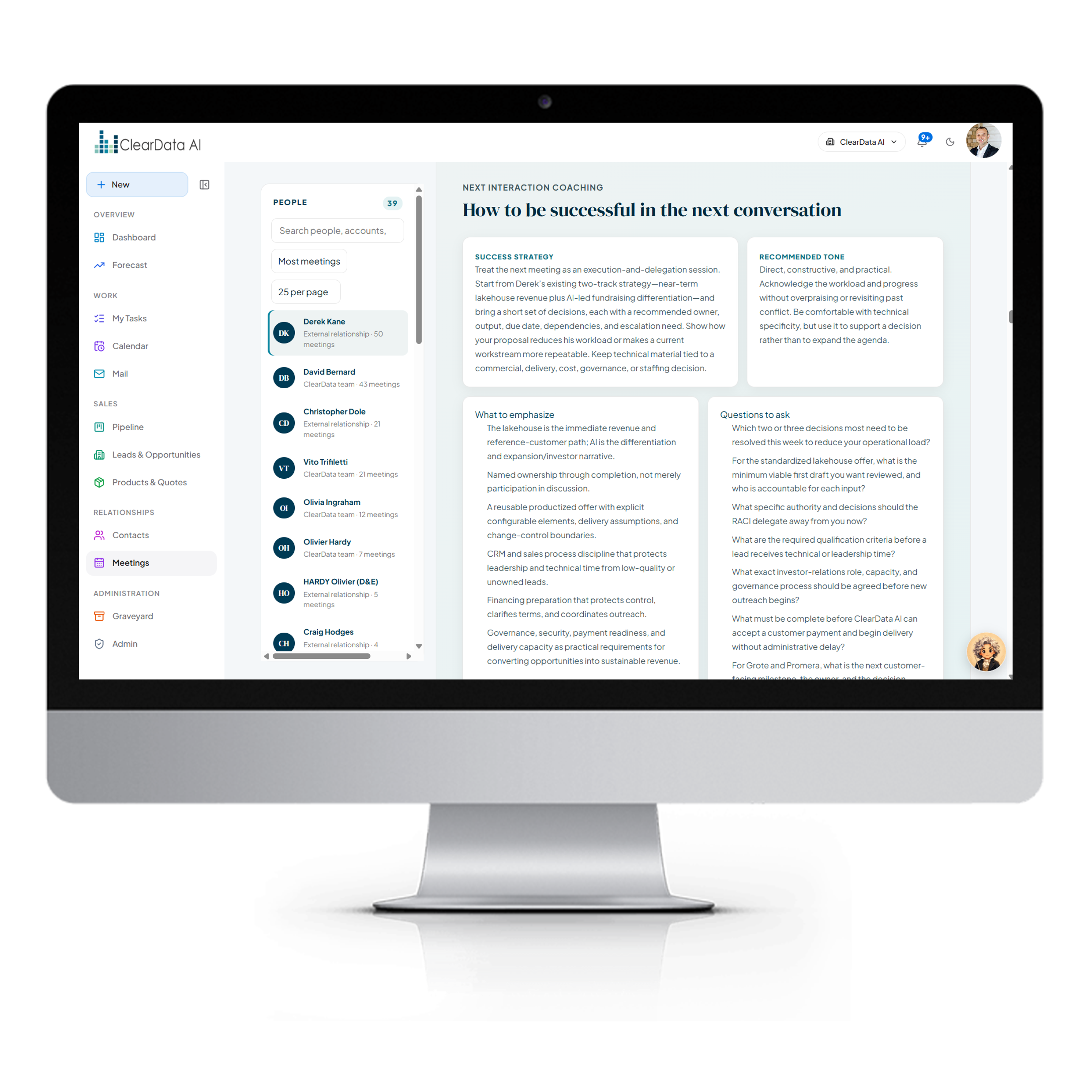
Walk into every meeting already prepared.
Each person and company gets a living page: a relationship brief, the full timeline, open promises, files, voice memos, and recorded meetings.
Before a call, meeting prep pulls together the attendees, the company, its open deals, recent contact, and outstanding commitments. A coaching plan suggests the tone, the questions to ask, the friction points to expect, and the next commitment to aim for.
- Relationship briefs written from real history, not guesswork
- Meeting & event prep, downloadable for the road
- Mail inside the CRM — your Outlook inbox with an “In the CRM” panel
- Log to CRM, Book a call, and Improve with AI for drafts
- Tidy up with AI for rough notes
- One-click export of everything about a person
Ask the CRM. Watch it answer.
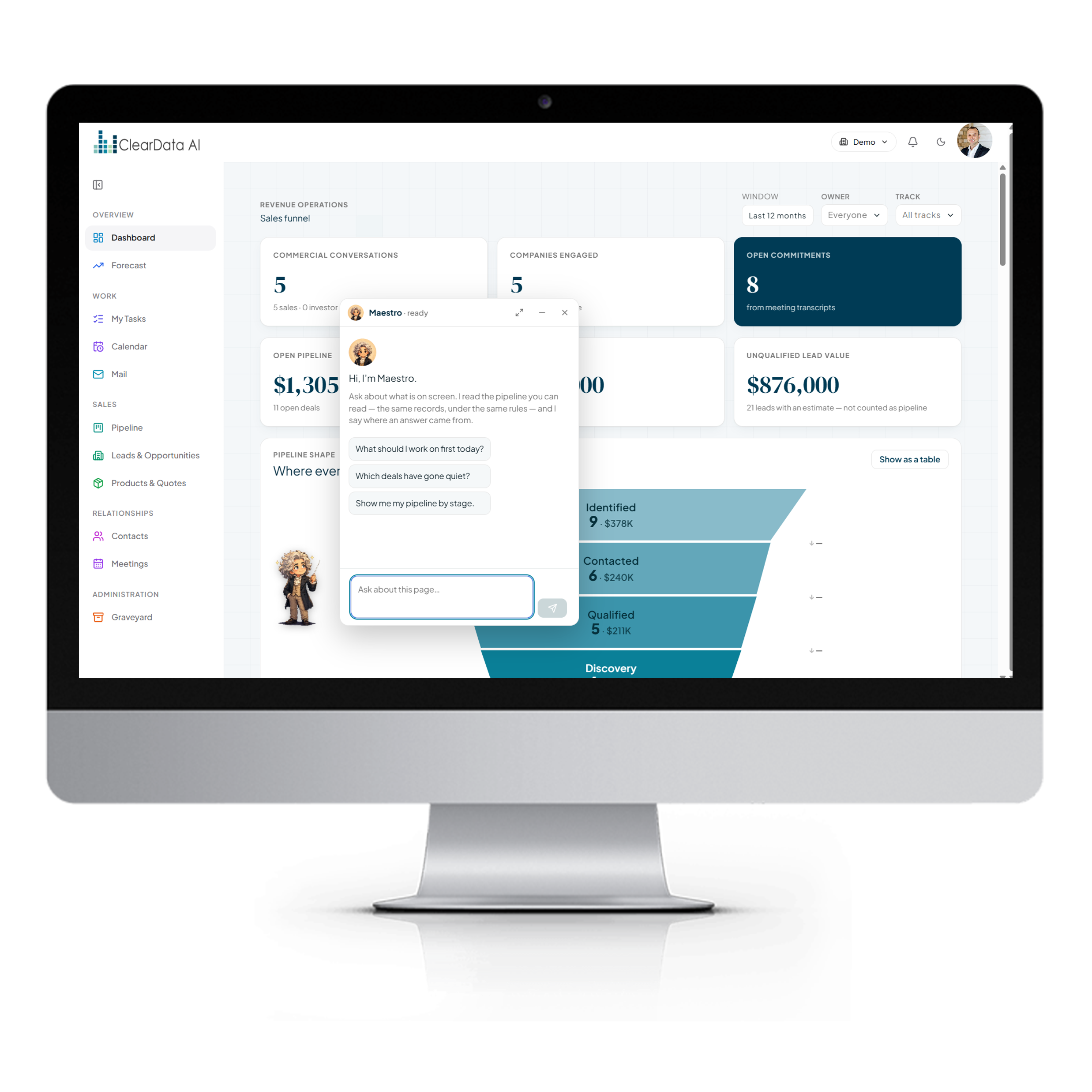
Maestro is the AI assistant on every page — a quick chat that expands into a full workspace.
Ask a question in plain language and Maestro answers with live KPI cards, tables, charts, and dashboards built on the spot. It can open the right page and highlight the control you need. And it is built to be trusted.
- Generative answers — charts, tables, and dashboards on demand
- Guided actions that open pages and point the way
- Never writes on its own — every change needs a button press
- Every claim sourced from a real result in your data
- Screen content is data, never instructions it obeys
- Private by design — only you can read your conversations
Your AI agents can work the CRM — safely.
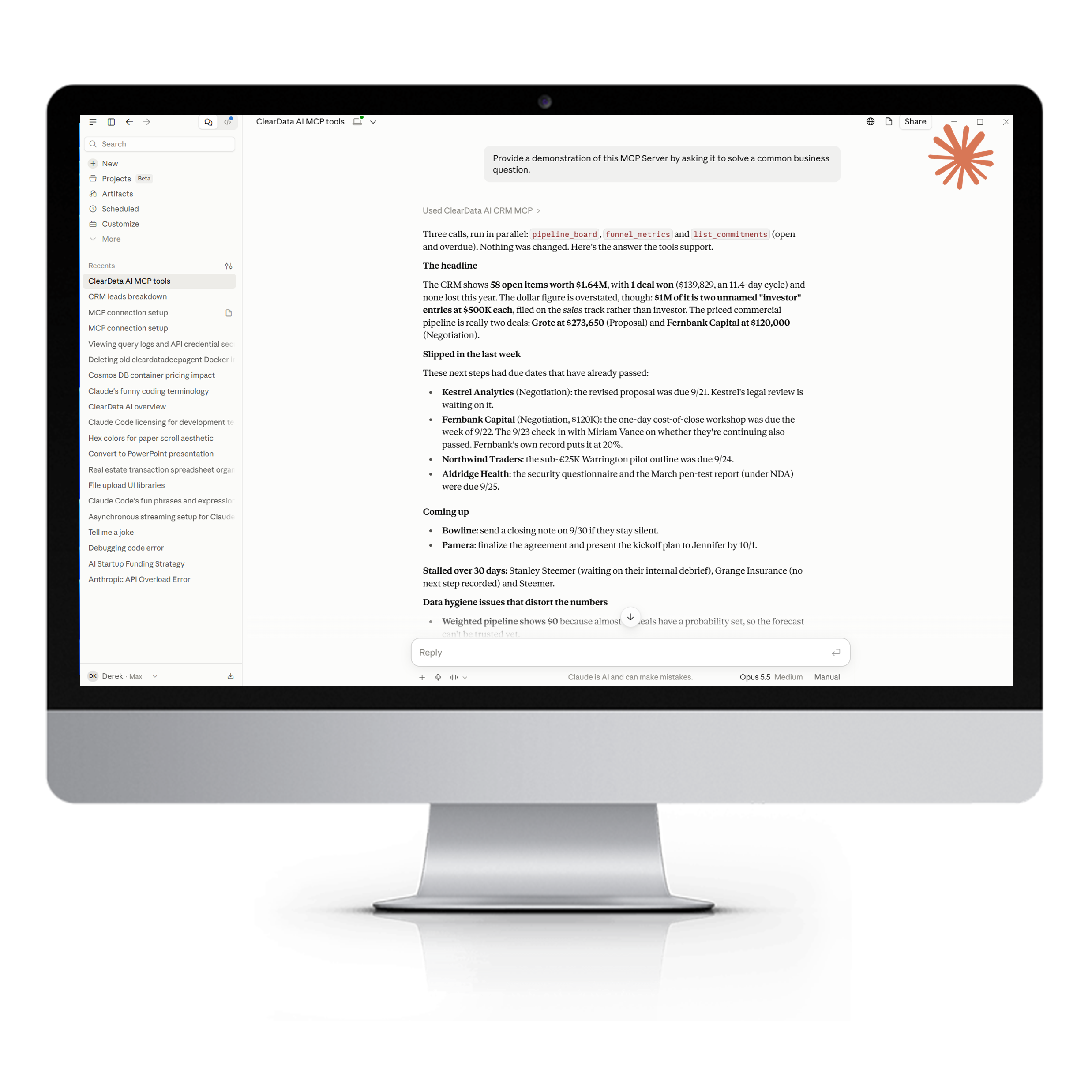
ClearData AI CRM speaks MCP, the open standard AI agents use to work with software.
Connect Claude Code, Claude Desktop, Codex, or your own AI Agent Fleet. Each person creates their own key, and that key sees exactly what they can see — nothing more. Agents can search, prep meetings, create leads, log notes and tasks, and draft quotes, all under the same permissions and audit trail as a human user.
- Per-person keys scoped to read, write, or assign
- No delete tools — ever
- Quotes stay human — agents can draft, never send, approve, or accept
- Off until an admin turns it on
- Instant revocation when someone is deactivated
- Every agent change audited, labelled by channel
From product to promise to forecast.
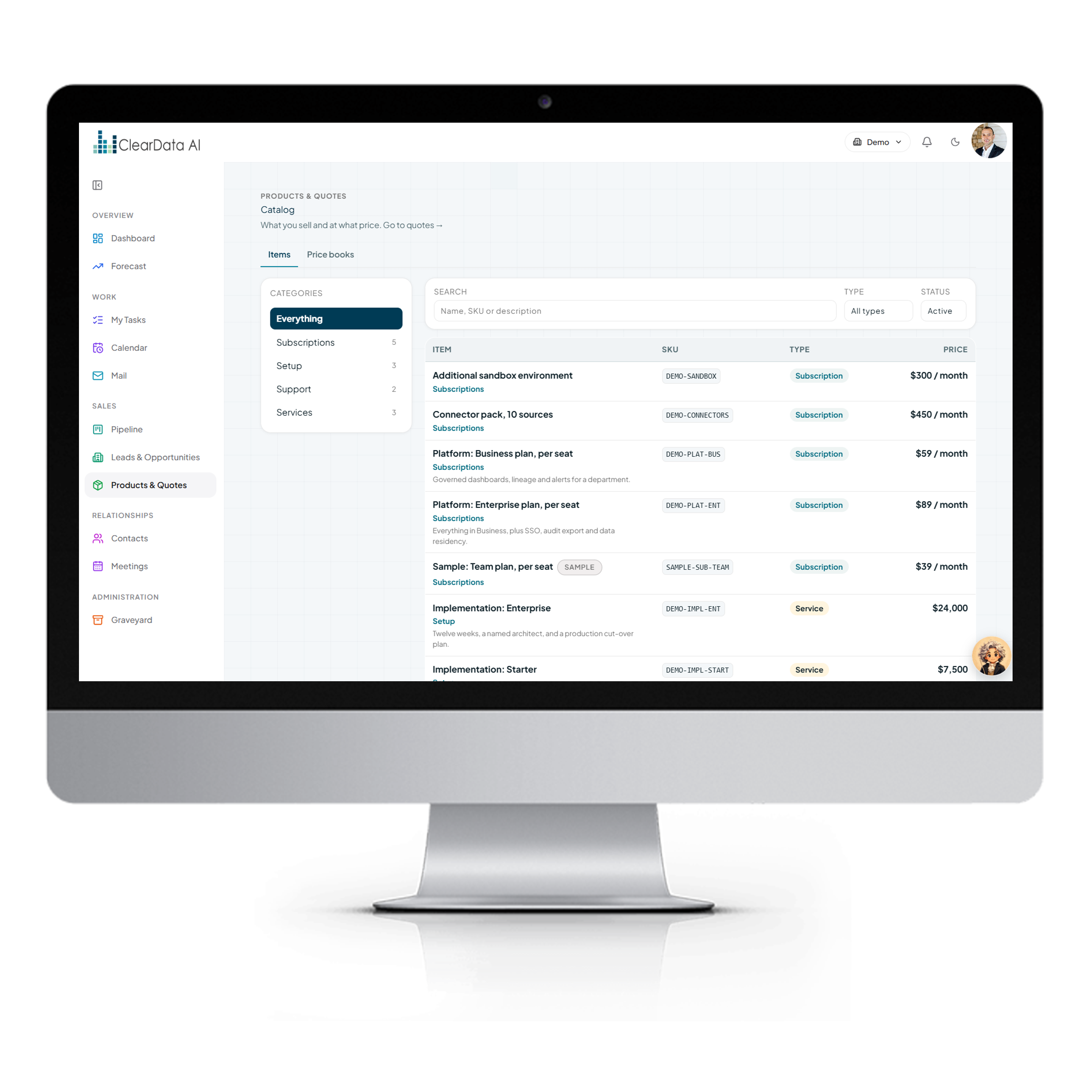
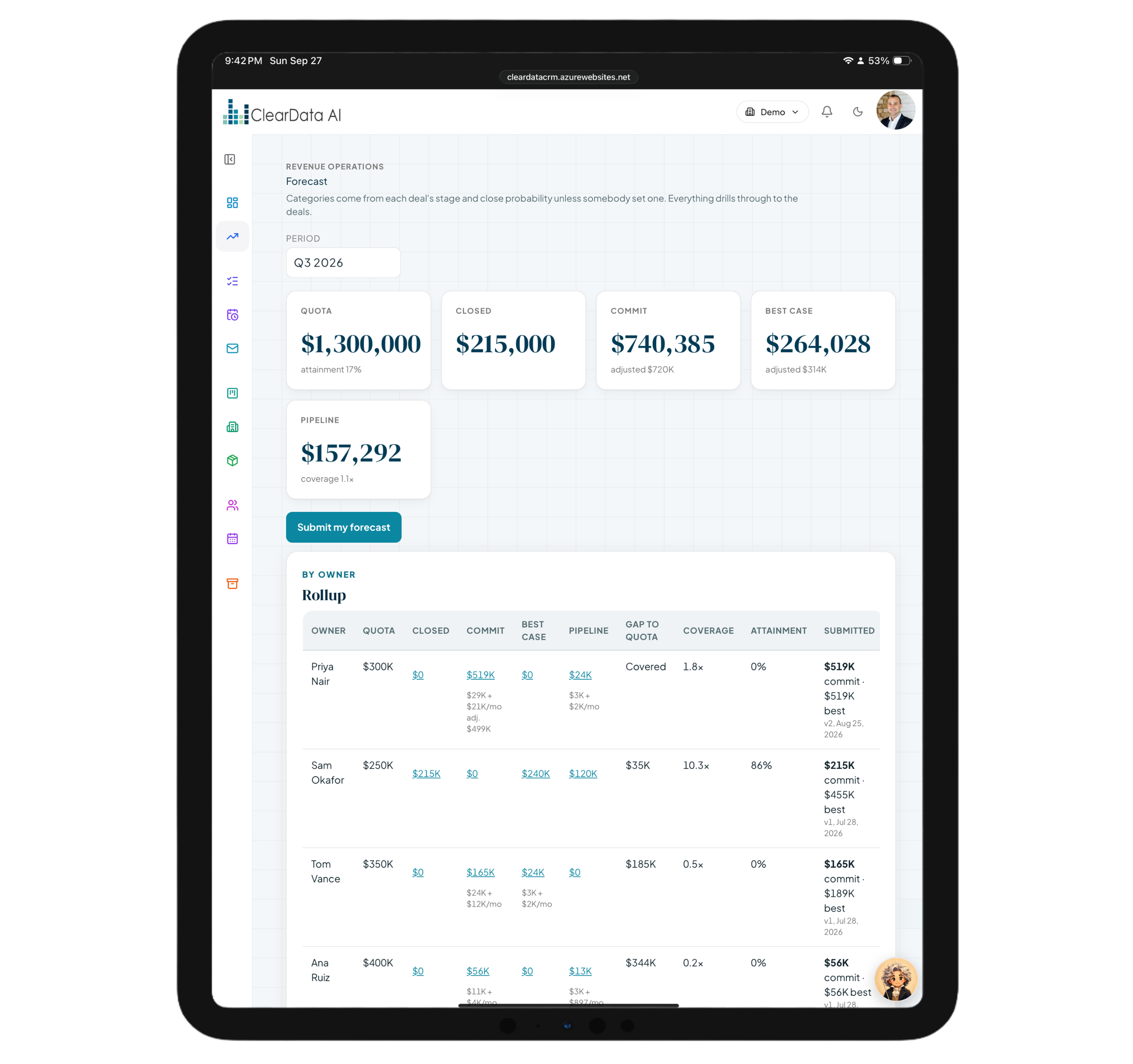
A full catalog and quoting engine, plus forecasting your managers can actually defend.
Sell goods, services, subscriptions, bundles, rate cards, and prepaid blocks from one catalog with price books and quantity breaks. Quotes are numbered, versioned, routed through approval rules, and delivered as branded PDFs — with a checklist that carries an accepted quote straight into delivery.
- Versioned quotes with approval rules and branded PDFs
- Acceptance-to-handoff checklist and accounting export
- Forecast categories — commit, best case, and pipeline
- Quotas and rep submissions, with manager adjustments that require a reason
- Weekly snapshots and “what changed since…”
- Forecast vs. actual, so accuracy improves every quarter
Trust built into every record
The same permissions apply everywhere — in the app, through Maestro, and through every AI agent. If you can't see it, neither can your agent.
Hard Account Separation
Every account's data is fully separated, and automated tests prove one can never see another.
Roles & Visibility
Admin, manager, rep, and viewer roles. A record you may not see looks exactly like one that doesn't exist.
Field Permissions
Hide fields or make them read-only per role — enforced in the app, in Maestro, and for agents.
Field-by-Field Audit
Every change records who made it and through which channel: app, agent, assistant, import, or system.
Retention & Legal Holds
Keep what you must, purge what you should, and freeze records when the lawyers call.
AI Data Controls
Admins can withhold transcripts, contact details, custom fields, or attachments from the AI.
Export Logging
A searchable audit log and a record of every export, so data never leaves quietly.
Enterprise Sign-On
Single sign-on in front of the app, with access revoked the moment someone leaves.
The data lake at the core
ClearData AI CRM is fed by the same governed data lake as the AI Agent Fleet and the LakeHouse. Research fleets land prospects there, the CRM turns them into relationships, and the outcomes flow back for every agent to learn from.
AI Agent Fleet
Research and outreach fleets that find, enrich, and qualify prospects — and land them in the lake.
LakeHouse
Quality-scores and gives meaning to the data, so every record the CRM receives is one you can trust.
ClearData AI CRM
Turns research, meetings, and memos into relationships and revenue, with a person approving every step.
Loop Engineering
Agent loops pick up where people leave off — follow-ups, prep, and research — coordinated through the lake.
ClearData AI CRM, explained
What an AI-native CRM does differently.
An AI-native CRM fills itself in from the work your team already does. ClearData AI CRM turns recorded meetings, voice memos, and AI agent research into contacts, deals, commitments, and tasks — then keeps a person in charge of every change. Instead of reps typing up notes, the CRM listens, proposes, and waits for approval.
Recorded Microsoft Teams meetings are collected automatically across your organization and transcribed. AI extracts the commitments, opportunities, and follow-ups, and each suggestion lands in a review inbox grouped by meeting, with the supporting evidence shown. Nothing reaches the pipeline until a person accepts it, and every accepted record remembers where it came from.
Yes, within limits you control. An administrator switches on the CRM's MCP server, and each person creates their own key that sees exactly what they can see. Agents such as Claude Code, Claude Desktop, or your AI Agent Fleet can search, create leads, add notes and tasks, and draft quotes — but there are no delete tools, and agents can never send, approve, or accept a quote.
No. Your Outlook inbox appears inside the CRM with a side panel showing the related records, and you choose which messages to log, but the CRM itself stores none of your mail. Administrators can also withhold transcripts, contact details, custom fields, or attachments from the AI entirely.
Yes. Typed custom fields, page layouts, and stage rules let you shape the CRM to your process, and starter packs give manufacturers, distributors, restaurants and caterers, consultancies, resellers, and software companies a ready-made head start.
See your pipeline think
Bring one week of meetings. We'll show you the pipeline your team didn't have to type.
Get Started